
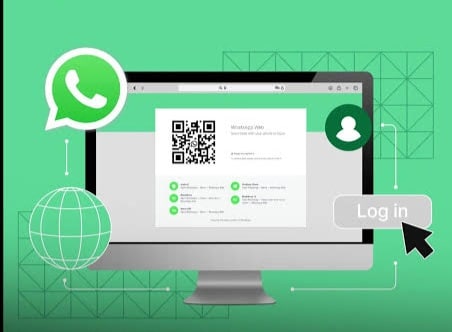
The Union Home Ministry’s cybercrime wing, the Indian Cyber Crime Coordination Centre (I4C), has cautioned citizens and organisations against using WhatsApp Web for sensitive or official communication, warning that lingering authenticated browser sessions can be exploited to hijack accounts and carry out cyber fraud.
In an advisory titled “Safe Use of WhatsApp Web” issued by its National Cybercrime Threat Analytics Unit (NCTAU) on November 18, 2026, the agency warned that unauthorised access to active web sessions allows malicious actors to read private chats, view contacts and group conversations, and impersonate account holders to launch phishing, financial fraud, and social-engineering scams.
Why Closing a Browser Tab Is Not Enough: Key I4C Warnings
- Do Not Keep Sessions Permanently Logged In: Emphasising that simply closing a browser tab or window does not terminate an active session, I4C urged users not to leave WhatsApp Web logged in continuously—especially on office computers, shared systems, or devices accessible to others.
- Ban on Untrusted & Public Systems: The cyber unit strictly advised against accessing WhatsApp Web at cyber cafés, public kiosks, hotel business centres, or on borrowed computers, while recommending that organisations avoid exchanging government, organisational, financial, or confidential data over the web client.
Essential Safety Checklist Issued by I4C
- Manual Logout & Incognito Mode: When accessing WhatsApp Web on a trusted computer is unavoidable, use Incognito or Private Browsing mode as an added layer of protection—and manually log out before closing the browser.
- Monitor Account Red Flags: Stay alert for unexplained account activity, including unexpected messages sent from your number or unusual replies from contacts.
- Keep Devices & Software Updated: Regularly update operating systems, web browsers, and security software while avoiding suspicious downloads, unknown files, and cracked software.
“Stay Alert. Log Out After Every Session. Protect Your Digital Identity.”
— Indian Cyber Crime Coordination Centre (I4C), Ministry of Home Affairs
I4C WhatsApp Web Safety Guidelines: Do’s and Don’ts
|
Do’s (Recommended Practices) |
Don’ts (High-Risk Habits to Avoid) |
|---|---|
|
Manually log out of WhatsApp Web after every single session |
Never assume closing a browser tab logs you out automatically |
|
Use Incognito / Private Browsing on trusted machines when necessary |
Avoid WhatsApp Web on office, shared, or public PCs (cyber cafés, hotels, kiosks) |
|
Update OS, browsers & antivirus and check linked devices regularly |
Do not share official, financial, or confidential data via WhatsApp Web |