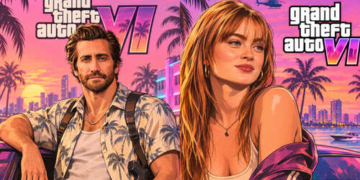

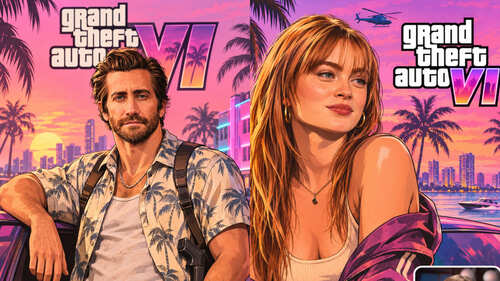
As GTA 6 dominates social media timelines, Instagram feeds and WhatsApp DPs are being flooded with vibrant, AI-restyled portraits that turn everyday phone selfies into neon-soaked Vice City promotional posters.
Drawing directly from Rockstar Games’ signature cover-art aesthetic—complete with bold ink-style outlines, painted highlights, saturated sunset skies, palm-lined coastal avenues, and exotic sports cars—the viral trend lets anyone transform a casual snapshot into game-box artwork without needing illustration skills. Using Google Gemini or ChatGPT, users can generate either the classic cel-shaded cover style or a newer photorealistic in-game screenshot look in seconds.
How to Make a GTA 6-Style Portrait in Google Gemini & ChatGPT
- Open Your AI Tool: Launch the Google Gemini app or website (with image creation enabled) or open ChatGPT and start a fresh chat.
- Upload a Sharp, Well-Lit Selfie: Tap the attachment icon and choose a clear, front-facing portrait taken in even lighting, avoiding heavy shadows or distant full-body shots so the AI can accurately preserve your facial features.
- Paste a Detailed GTA-Style Prompt: Specify lighting, framing, and art direction rather than using a short one-liner. Try either of these ready-to-use prompts alongside your uploaded photo:
- Vertical Instagram Story Prompt: “Transform my uploaded selfie into a cinematic vertical portrait for an Instagram story, premium open-world video-game promotional illustration inspired by GTA VI, featuring bold ink outlines, warm golden-hour sunset lighting, palm trees, neon city lights, and exotic sports cars while keeping my exact facial features and identity intact.”
- Classic Vice City Cover Poster Prompt: “Turn the uploaded photograph into a high-quality open-world crime video game poster inspired by the visual aesthetic of Grand Theft Auto. Keep the person’s facial features, hairstyle, expression and overall identity recognisable without beautifying or altering their face. Give the image a bold illustrated appearance with sharp outlines, vibrant colours, dramatic cinematic lighting and a detailed Vice City-inspired coastal backdrop. Include luxury sports cars, palm trees, neon-lit urban streets and a glowing sunset sky. Use a stylish video game poster composition with rich textures and no text or logos.”
- Fine-Tune and Download: If the first output alters your likeness or looks too dark, follow up with a quick refinement prompt—such as asking the tool to keep your facial features closer to the original photo or brighten the pink and orange sunset tones—before saving the final poster.
Quick Tips & Safety Checks Before Posting
- Customise the Backdrop: Swap the sunset beach strip for a rainy downtown alley, a rooftop helipad, or a classic wanted-poster frame for a fresh variation.
- Inspect Small Details: AI generators can occasionally distort fingers, sunglasses, jewellery, or background text—always review the edges before sharing.
- Respect Privacy & Consent: Avoid uploading sensitive images, and never restyle photographs of other people without their explicit permission.